Support




To update the PHP version on cPanel, follow these steps:
- Visit herohosty.com and sign in to your account.
- Log in to your cPanel account.
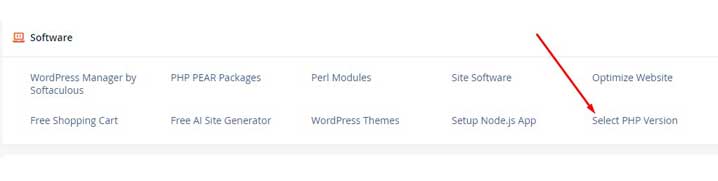
- Navigate to the “Software” section and click on “Select PHP Version”.
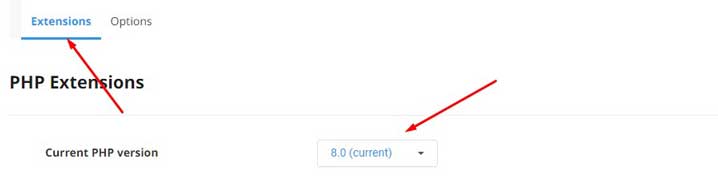
- On the next page, you will see the current PHP version in use.
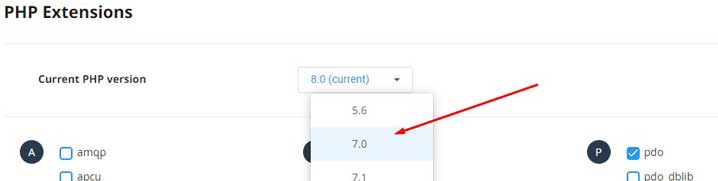
- Click on the drop-down menu and select the desired PHP version.
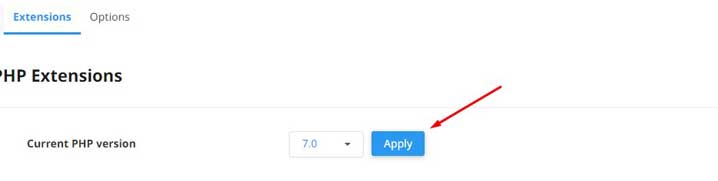
- Click on the “Set as current” button to apply the changes.
If the desired PHP version is not available, then please create a ticket.