 Support




Welcome to HeroHosty and Thanks for choosing us.
if you want to install wordpress then you have to login your cpanel. if you have cpanel login details then please login your cpanel or you can login your cpanel via autologin
How to login cpanel
- login to herohosty account
- now click on services
- select your domain where you want to install wordpress
- now in the left side click on login to cpanel
Step-1
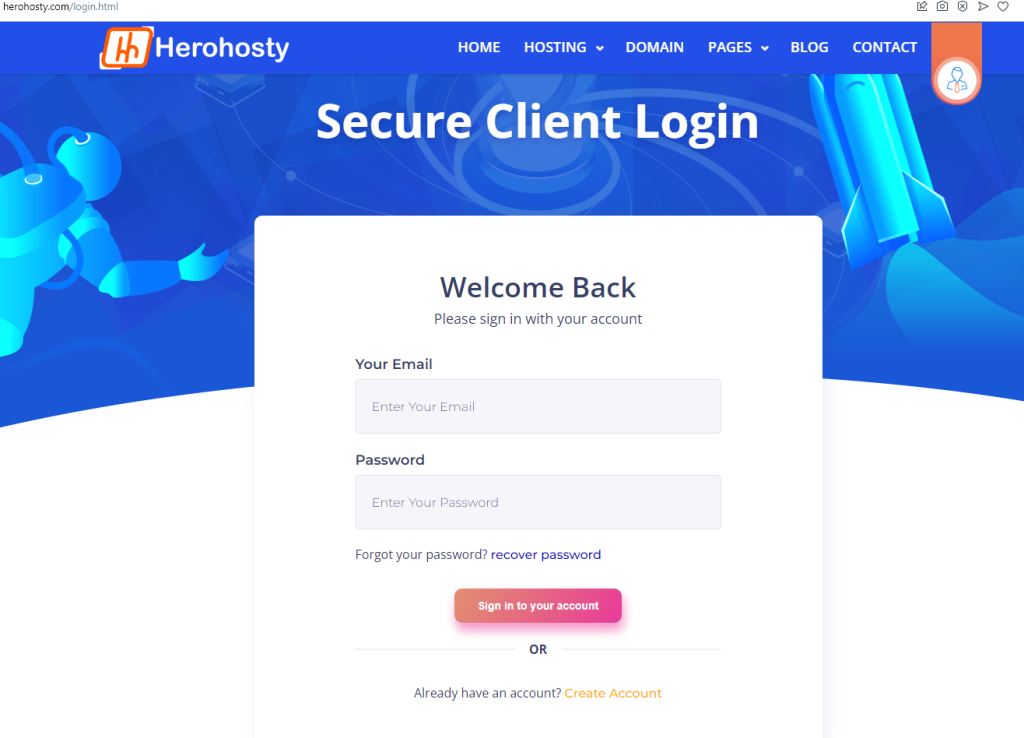
login to herohosty account
Step 2
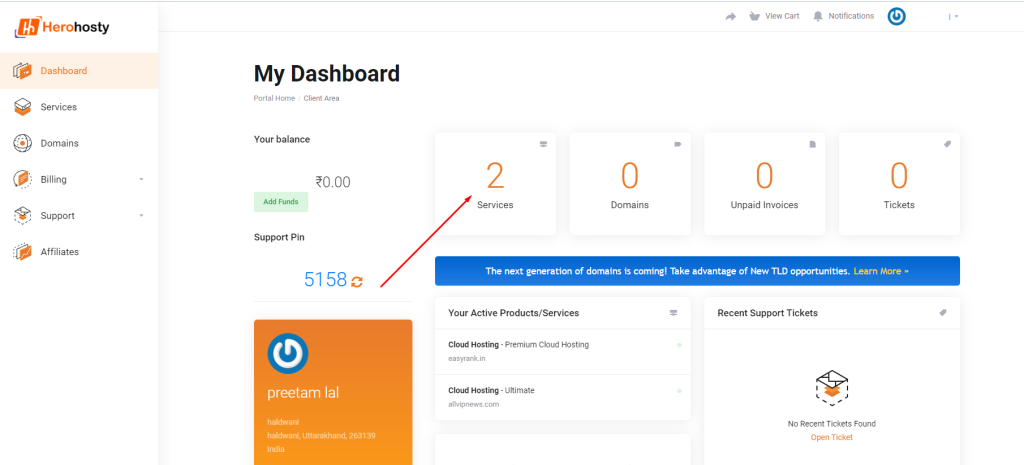
now click on services
Step 3
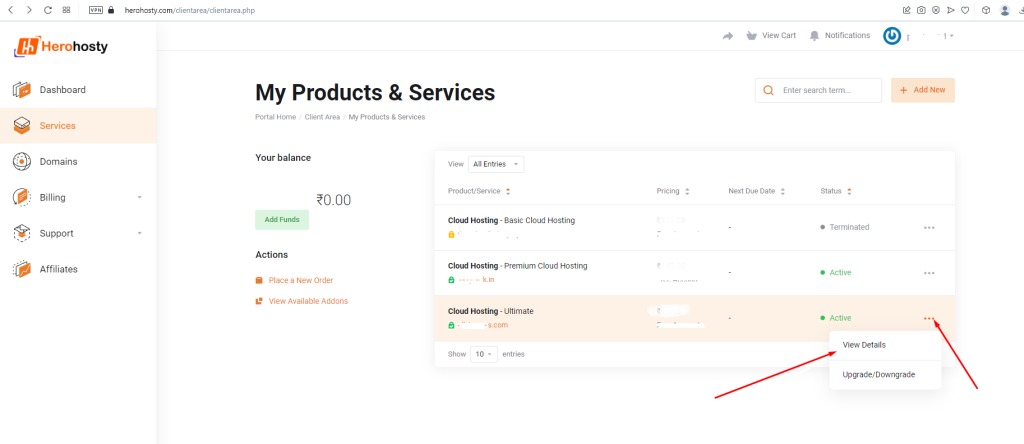
select your domain where you want to install wordpress
Step 4
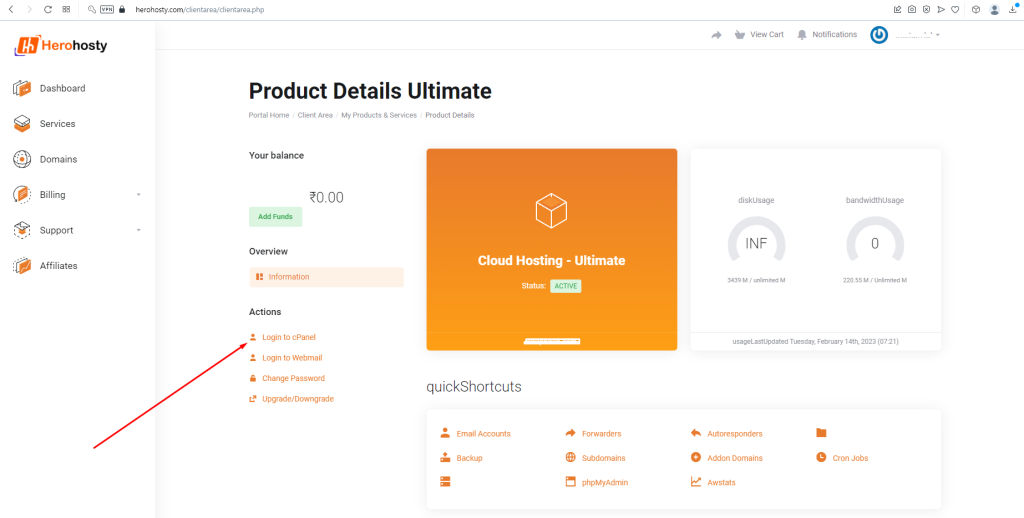
now in the left side click on login to cpanel
How to install wordpress
- login your cpanel
- click on WordPress icon from Softaculous Apps Installer
- click on install now button
- select your domain name where you install WordPress
- now fill all details like site name, username, password, email
- scroll down your page and click install now button
- wait 15-20 second
- wordpress has been installed on your domain
Step 1 please check the above method on how to login your Cpanel
Step 2
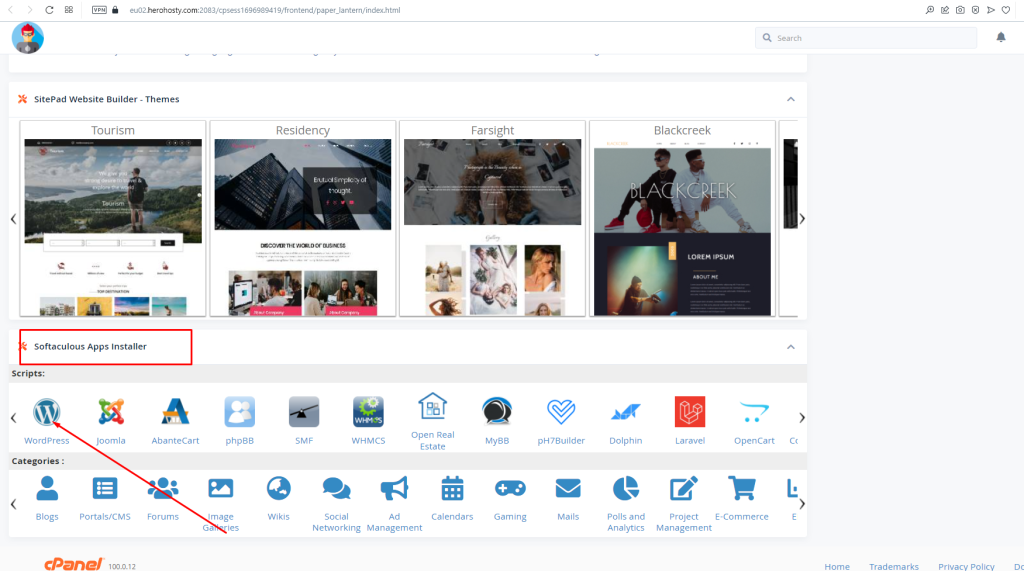
click on wordpress icon from Softaculous Apps Installer
Step 3
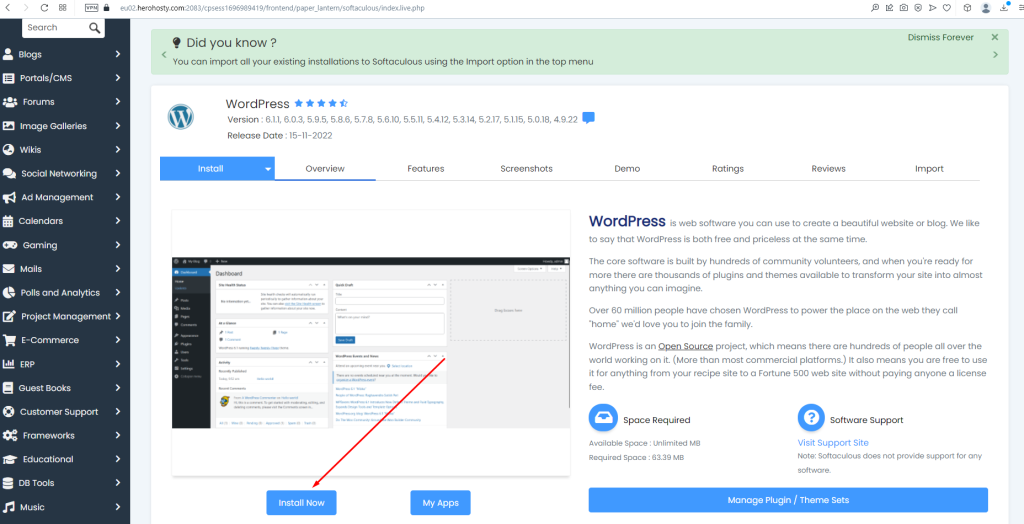
Click on install now button
Step 4
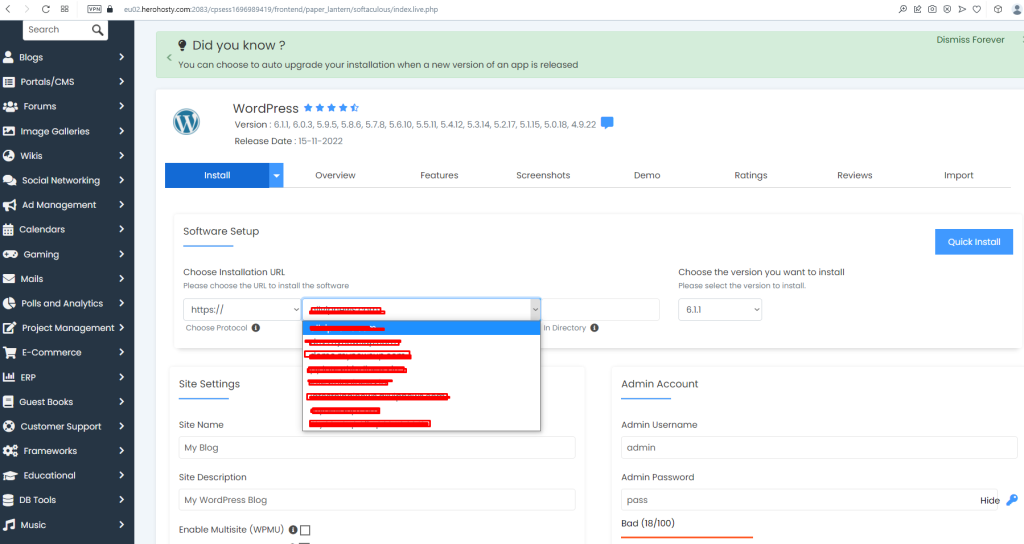
select your domain name where you install WordPress
Step 5
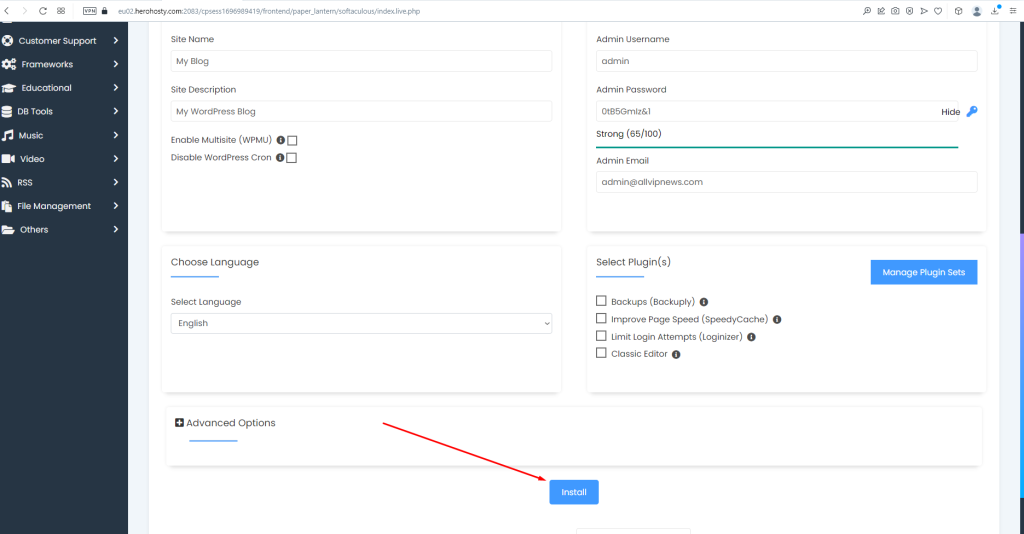
now fill all details like site name, username, password, email
now please update nameservers
you can check this article if you want nameserver details What is The HeroHosty Nameserver?


